 PhoneBridger
Your desk.Your setup.
Start with the app. Add a home for your phones.

 Windows + Android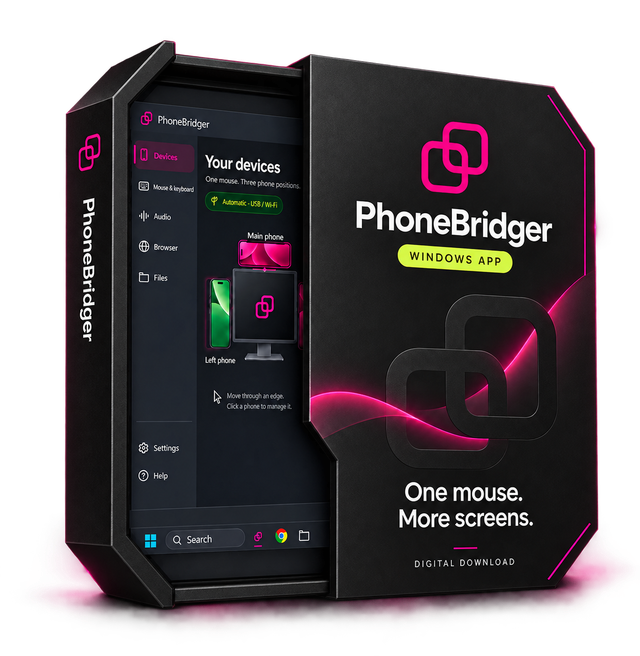
One mouse. More screens.
Software is a digital download. Box shown for illustration.Make it yours.
Every setup starts with the same app.
The holders are your choice.
Windows app + Android companion
Up to three connected Android phones
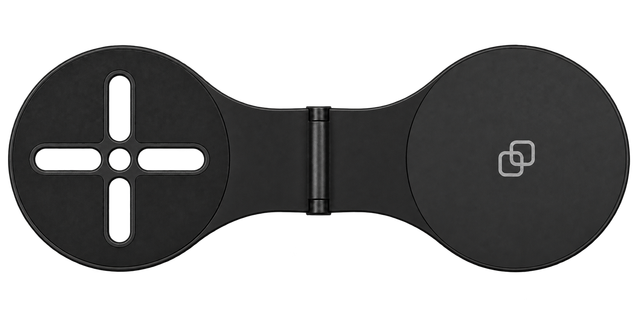
2 magnetic holders · Black
Orders are not open yet. Save your choice or ask about this setup. Shipping and applicable taxes will be confirmed before a purchase.
Ask about this setupSame app.
Your kind of desk.
Use your existing phone stand, or choose optional magnetic holders to keep your phones beside your screen. The app works either way.
Try the betaWhat does the app do?
Move your mouse through a chosen screen edge to control your own Android apps. Type with your PC keyboard, send supported Google links and listen to supported phone audio through your PC.
Does the app need a holder?
No. App only works with your existing phone setup. Optional holders change the physical arrangement, not the app features.
Can I connect three phones by USB?
The beta supports one physical USB phone at a time. Other paired phones can use Wi-Fi. USB takes priority automatically after its one-time setup.
Is this a subscription?
The planned offer is a one-time V1 licence for one Windows PC and up to three Android phones. A future paid major version would be a separate offer. Paid licensing and checkout are not active in this beta.
What about shipping and compatibility?
Hardware orders and shipping are not open. Ask us about your phone, case and laptop before choosing a mount. Final dimensions, attachments and fulfilment details will be confirmed before sale.